45.24 File conversion tools⧉
Three formats recur throughout this book and its problem sets, and each is a little awkward to convert correctly with everyday software. This appendix collects browser-based converters for them. Running in the browser is a deliberate choice: these files are often large and private (your raws, your light fields), so a tool that uploads them to a server is both slow and a privacy problem. Everything here runs locally on your own machine. Open the hosted page, or serve the sandbox folder through localhost, and drag a file in. Opening the HTML directly through file:// can prevent module and WebAssembly loading.
45.24.1 JPG → PNG, without an alpha channel⧉
The simplest tool, and a surprisingly common need: re-encode a JPEG as a lossless PNG, specifically as a three-channel RGB PNG with no alpha channel. This matters because some pipelines, texture loaders, and printing/submission flows reject or mishandle a four-channel image, and a spurious alpha channel silently inflates the file and can interact badly with premultiplication.
The browser's canvas.toBlob(callback, 'image/png') API does not let you request a particular PNG color type. To guarantee a three-channel file, the tool uses its own PNG encoder: it reads pixels from the canvas, drops their fully opaque alpha channel, writes color type 2 (truecolour RGB), and compresses the scanlines with CompressionStream. Converting a JPEG this way preserves its decoded pixels; it does not undo earlier JPEG losses.
45.24.2 DNG → a linear PNG⧉
A raw DNG is not a picture. It is a grid of sensor measurements plus a recipe (Chapter 45.14, DNG: the Digital Negative). "Render it" the ordinary way (open in a viewer, export PNG) bakes in a tone curve, white balance, and the camera look, giving you a pretty 8-bit picture, exactly not what you want when you need the scene-linear data that the algorithms in this book run on (HDR merging, white balance, deblurring; the whole argument of Chapter 45.15, Rendering a raw DNG and Chapter 8.1, Image representation).
This tool decodes the raw with LibRaw (the library behind most raw converters) compiled to WebAssembly so it runs in the browser, and writes a PNG with linear gamma (no tone curve), Part 15, Demosaicking and joint methods and white-balanced, 16-bit by default so the linear values survive quantization, and again with no alpha channel. You choose the color space (linear sRGB primaries, or camera-native), the bit depth, and the white-balance setting (as-shot, auto, or the LibRaw default; the current option labeled “none” does not explicitly disable all gains). The result contains linear, integer RGB samples, with the clipping and quantization limits of that representation. The encoder currently writes neither an ICC profile nor a gamma chunk, so the consumer must be told the primaries and linear encoding. A viewer that assumes sRGB encoding will show it too dark; a correctly configured display transform will not.
A practical note: LibRaw decodes standard Bayer raws (DNG, ARW, NEF, CR2, …); a few unusual compressed or already-linear DNGs are not supported by this build and will report an error rather than convert. Full-frame 16-bit PNGs are large (26 million RGB pixels occupy 156 MB before PNG compression; the file size depends on the image); choose 8-bit if you want a smaller file.
45.24.3 A Lytro capture → a Stanford-style light-field archive⧉
A Lytro Illum .lfr is a single honeycomb sensor frame, not something you can browse as images (Chapter 45.23, Reading a Lytro light field). The classic Stanford Light Field Archive format, by contrast, is the friendly one: a folder of sub-aperture views (ordinary images, one per aperture position, named out_<row>_<col>.png) that you can flip through, feed to a refocusing routine, or load into light-field code after matching its filename, axis-order, color, and geometry conventions (the standard public light fields are indexed in Chapter 45.16, Datasets).
This tool bridges the two. It runs the book's light-field decoder (a browser port of the same lytro_illum pipeline: container parse, demosaic, microlens-grid resampling) and packages the resulting grid of views as a ZIP in a Stanford-style layout, with an lf.json recording the grid dimensions. The ZIP is convenient for inspecting the views, but the current browser converter applies a display curve and saves 8-bit images. Undo the known encoding before linear refocusing, and use a linear export when possible; inverse encoding cannot recover clipped or quantized values. The layout is a convention used by this tool, not a universal light-field interchange standard. (It uses the file's own metadata grid; as in the metadata-only decode, expect mild banding without a calibration white image.)
45.24.4 How they run in the browser⧉
This runs without a server because modern browsers expose exactly the primitives these conversions need: CompressionStream does the DEFLATE that both PNG and ZIP are built on; WebAssembly runs LibRaw's C code at near-native speed for the raw decode; and a Web Worker keeps the heavy decode off the UI thread so the page stays responsive (with cross-origin isolation enabled so the worker can use shared memory). Nothing is uploaded; the files are read with the local File API and the results handed back as downloads.
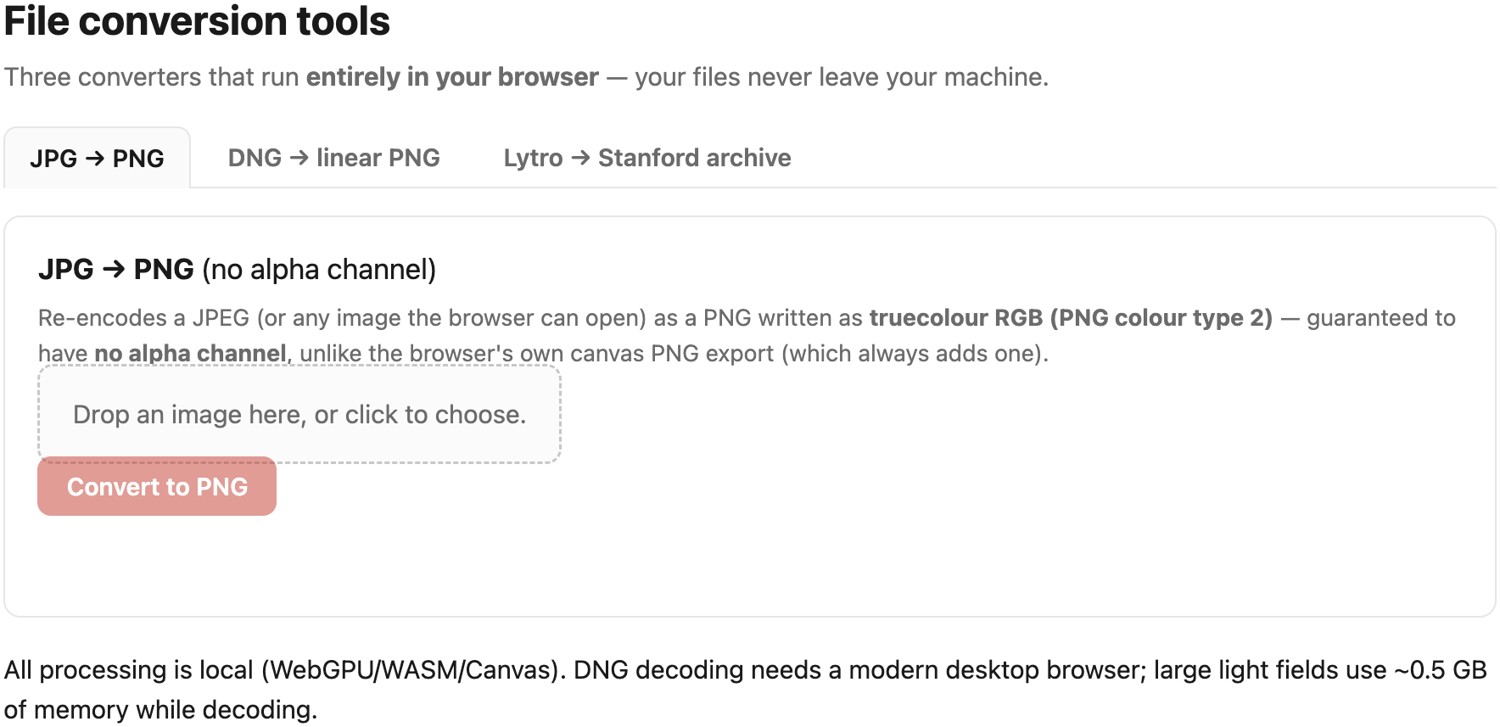
.lfr unpacked into a ZIP of Stanford-style sub-aperture views. Nothing is uploaded: the conversions run on the reader's own machine via CompressionStream, WebAssembly LibRaw, and a Web Worker.45.24.5 Easy mistakes⧉
- Letting the canvas write the PNG.
canvas.toBlob(callback, 'image/png')provides no color-type control. A real RGB (color-type-2) PNG needs a dedicated encoder. - "Saving a PNG" of a raw and calling it linear. A viewer's PNG export is gamma-encoded and tone-mapped: display data, not the scene-linear array algorithms need. Decode with linear gamma and no auto-brightening, and keep 16-bit.
- 8-bit for linear data. Scene-linear values crammed into 8 bits band badly in the shadows; use 16-bit for anything you will compute on.
- Expecting every DNG to decode. Some compressed/linear DNG variants aren't supported by the WASM LibRaw build; that is a decoder limitation, not a corrupt file.
- Treating a Lytro file as a stack of views. It is a rotated hexagonal honeycomb; it must be decoded and resampled before the views exist (see the light-field appendix).
No new notation is introduced in this chapter.