30.8 Video textures⧉
A video texture turns a few seconds of footage into video that plays forever. Take a short clip of something stochastic and repetitive (a waving flag, a candle flame, a fountain, a fire, a child on a swing, leaves in the wind), and you can turn it into an arbitrarily long sequence that can hide its joins and reduce obvious repetition (Schödl, Szeliski, Salesin & Essa, 2000). Unlike a clip cut to loop, whose splice point pops every cycle, a video texture re-orders its own frames on the fly, so it can play indefinitely without a visible splice. This is the temporal sibling of the panorama seam and seam carving from Chapter 10.9, Seam optimization: hide the cut where things already match. Only now the cut is between frames rather than between pixels.
30.8.1 Finding good transitions⧉
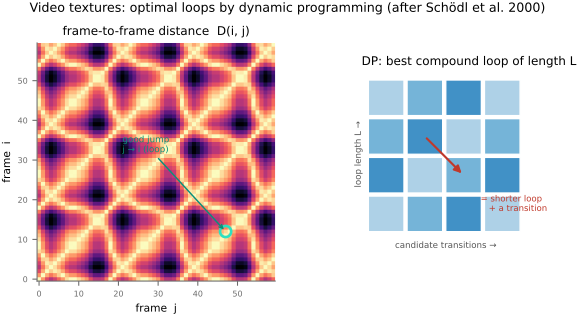
The whole method rests on one object: the frame-distance matrix. Treat every frame as a node, and measure, for every pair of frames $i$ and $j$, how similar they look, typically the sum of squared differences between the two frames (after a little blur and downsampling, so that what matters is the gross appearance, not pixel noise). For a jump after displaying frame $i$, compare its normal successor $i+1$ with candidate frame $j$, including neighboring frames to assess dynamics. If these match well, jumping to $j$ approximates continuing the original motion. Low distance makes a transition more promising; perceptual continuity still depends on dynamics and transition smoothing.
Two refinements make it actually work. First, similarity of a single pair of frames is not enough. Two frames can match while the motion through them runs opposite ways (a flag mid-flap looks the same going left as going right, but cutting between them reverses the motion and reads as a jerk). So the distance is computed over a small window of frames around each candidate, which folds in the local dynamics, not just the static appearance; a transition is good only if the motion matches too. Second, a transition that looks cheap now can lead somewhere with no cheap exit later (a dead end), so the costs are propagated with a little dynamic programming / Q-learning that prefers transitions leading into regions from which the texture can keep going. The result is a small set of good back-edges in the time graph, moments where the clip can fold back on itself unseen (Figure 30.8.1).
30.8.2 Playing it⧉
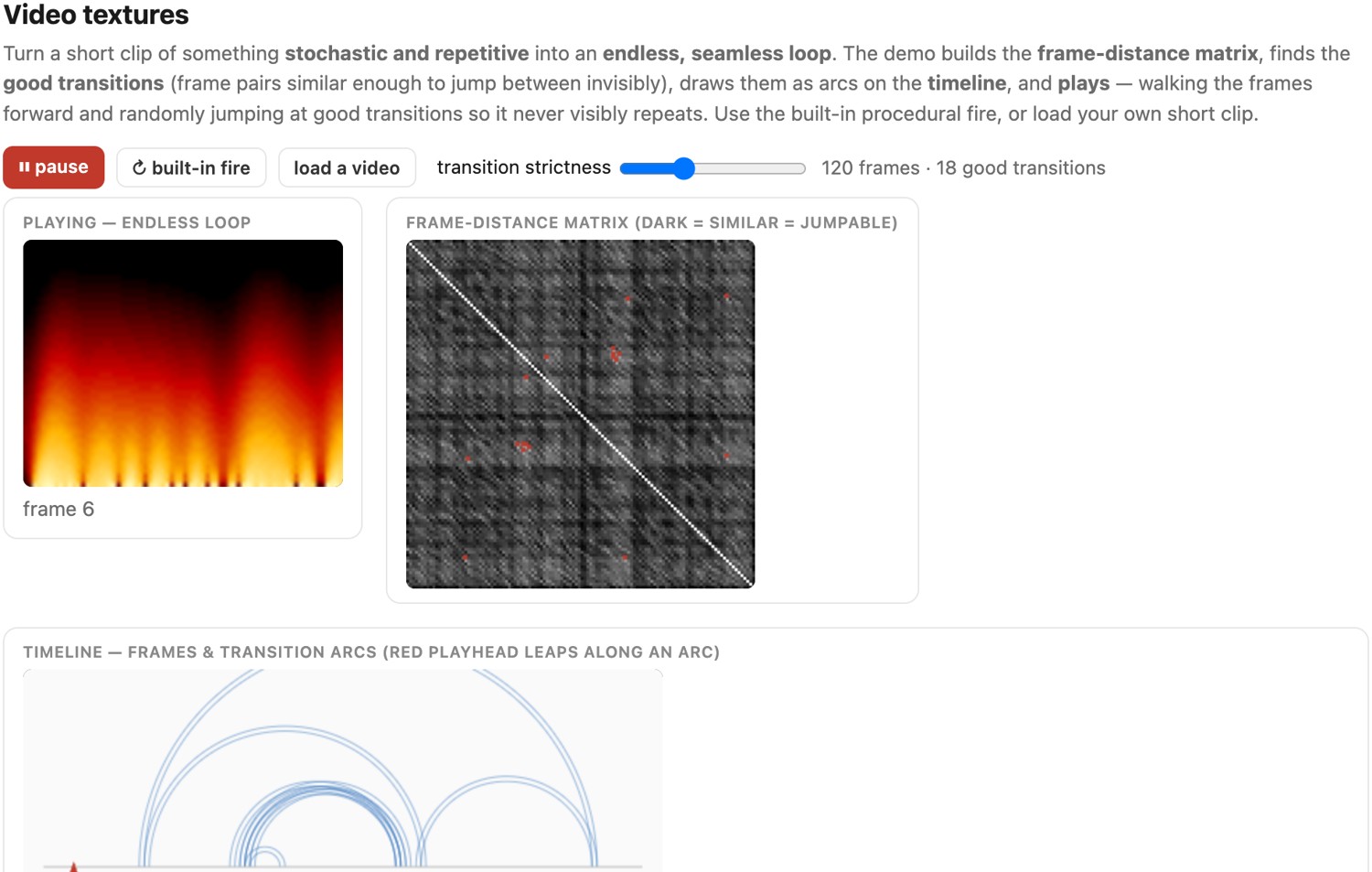
Playback is then trivial and the work is all in the preparation: advance frame by frame as usual, and whenever the current frame has a good transition available, either continue or jump to the matching frame, choosing randomly among the available good transitions. Because each jump lands on a near-identical frame with matching motion, the splices are invisible, and because the jumps are stochastic, the sequence never settles into a fixed period: a short candle clip can produce many different playback paths. The finite set of frames and transitions still recurs; randomization removes a fixed short period, not repetition itself. The same machinery yields a tight single loop (find a low-cost back-edge that closes the clip on itself) or an open-ended random walk through the frames; it is the same seam-optimization idea applied in time.
30.8.3 Relatives and descendants⧉
The idea has a wide family. Video sprites Schödl & Essa 2002 cut a moving object out of each frame and re-order those, so a fish or a person can be made to move around under interactive control. Cinemagraphs use a related idea: a mostly still photograph with one region (steam off a coffee, hair in the wind) looping. Live Photos instead capture a short sequence around a still image and can support loop effects; they are not inherently seamless video textures Liao et al. 2013, the same "loop the stochastic part, freeze the rest" instinct. And the modern generative successors, diffusion-based video generation and frame-prediction models, chase the same goal (endless plausible motion) by synthesizing new frames rather than re-ordering recorded ones; video textures are the non-learned ancestor, getting infinite video out of a short clip with nothing but a distance matrix and a cut.
The exact same trick works on audio. Music is full of near-identical moments (two occurrences of the same beat, the same bar of a chorus), and if you build the beat-to-beat similarity matrix of a song, you can jump between matching beats and play it forever without a seam. That is the Infinite Jukebox (Paul Lamere, originally on the Echo Nest), kept alive today as the Eternal Jukebox: paste in a track and watch it loop endlessly along the chords of beat-similarity arcs it draws around the song. It is video textures with beats for frames: <https://eternalbox.floriegl.tech/jukebox_index.html>. (It runs as its own web app rather than an embed; open it in a new tab and try a song you know; the arc diagram it draws is the audio frame-distance matrix of this chapter.)